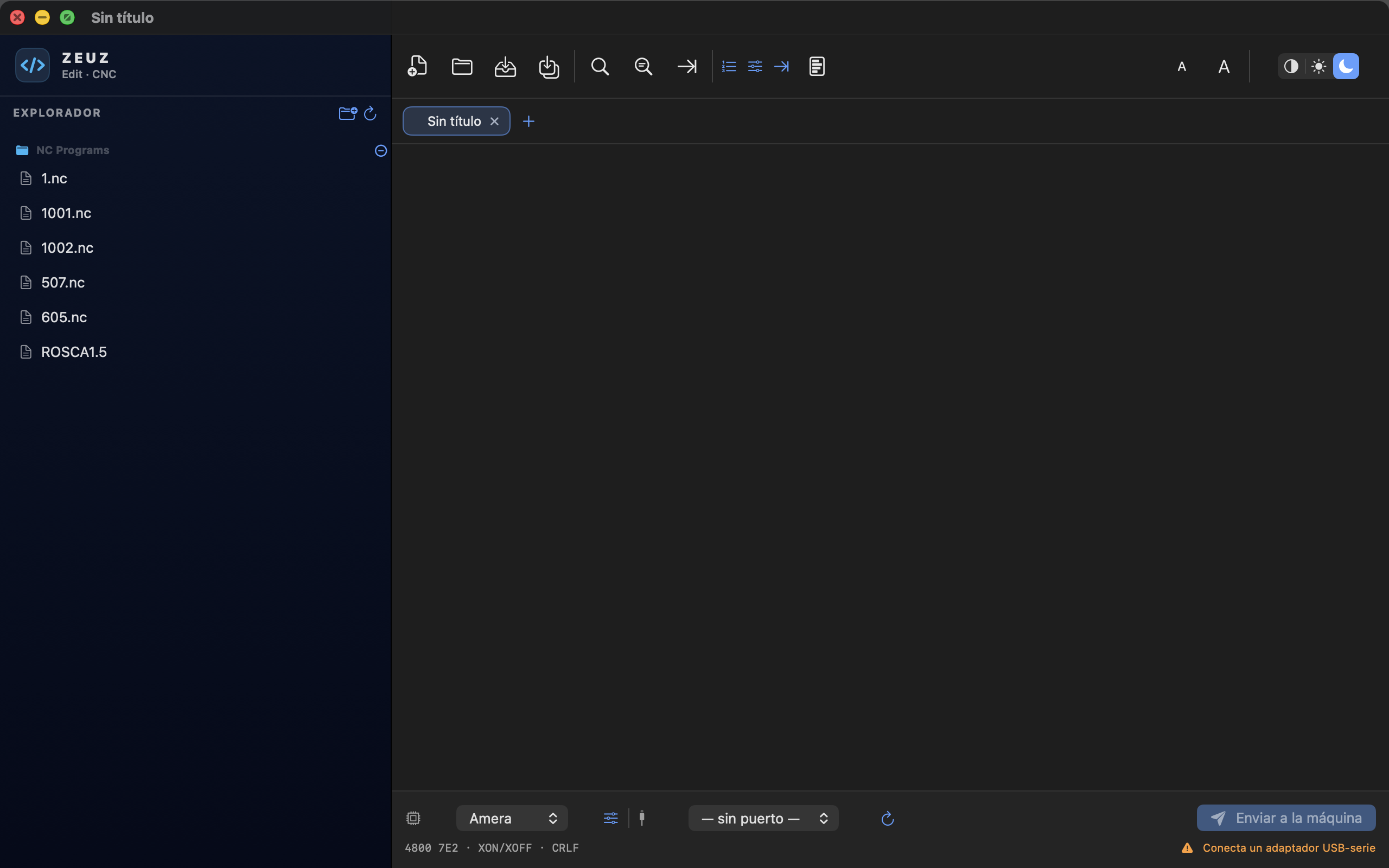
Real G-code editor
Syntax highlighting for G, M, axes, arcs, feed, spindle, tools, N-numbers and comments — the same coloring the iOS and Pi panels use, so your eyes don't have to relearn anything.
Open your .nc files, edit them with proper CNC tooling, and stream them to your machine over a serial port — all from a real Mac app, no terminal, no Java, no Windows VM.
First time opening: macOS will block the app because the beta isn't signed with a paid Apple Developer ID yet. To open it, right-click the app in Finder → Open → Open. You only do this once. Full instructions below.
Built from the same DNA as ZeuzDNC on the Raspberry Pi touchscreen — but reimagined as a proper desktop app. No Electron. No Java. No pretending to be a text editor.
Syntax highlighting for G, M, axes, arcs, feed, spindle, tools, N-numbers and comments — the same coloring the iOS and Pi panels use, so your eyes don't have to relearn anything.
Streams programs straight to your control with XON/XOFF or RTS/CTS. Ships with profiles for Fanuc and Fadal — add your own machine with a name, baud, parity, and the right terminator.
Open a folder of programs, browse, double-click, edit. Drag a .nc from Finder onto the dock icon and ZEUZ Edit opens it. Just like a Mac app should.
One glance gives you line count, tool list, units, axis ranges (X/Y/Z), estimated cycle time, and warnings about suspicious moves — all without sending a single byte to the machine.
Renumber, add or strip N-codes, scale feed and spindle, drop coolant or specific M-codes, format whitespace. The same utilities you got from CIMCO, built in.
.nc, .gcode, .g, .tap, .cnc, .min, .eia, .iso, .mpf, .spf, .prg, .pgm and more — opens as plain text, never locked behind a converter.
ZEUZ Edit colors G-code the way a serious code editor should — by what each word means, not just to look pretty. Motion, machine, axes, arcs, feed, spindle, tools — each one gets its own color, so a single glance is enough to catch a typo, a missing safety line, or a coolant command that wasn't supposed to be there.
%
O0001 (DEMO ZEUZ EDIT)
(POCKET MILLING - ALUMINUM 6061)
N10 G21 G17 G40 G49 G80 G90
N20 G54
N30 T1 M06 (FLAT ENDMILL D10)
N40 S3000 M03
N50 G00 X0. Y0.
N60 G43 Z25. H01
N70 Z5.
N80 G01 Z-2.5 F150.
N90 G01 X60. F450.
N100 G01 Y40.
N110 G02 X50. Y50. R10.
N120 G01 X0.
N130 G01 Y0.
N140 G00 Z25. M09
N150 M05
N160 G91 G28 Z0.
N170 G28 X0. Y0.
N180 M30
%
ZEUZ Edit is a brand-new desktop app. The first public build is here, the basics work, and we'd rather get it in your hands than ship something "perfect" in two years. The editor, the file browser, the DNC sender, and the machine profiles are all functional. Anything else is a known gap.
If anything looks broken, sends the wrong byte, or just feels off — please tell us. That's what beta is for. See below for where to report it.
Because this beta isn't signed with a paid Apple Developer ID, macOS Gatekeeper will block the app the first time you try to open it. This is normal — it's not a virus, it's how unsigned developer builds work. You only do this once per Mac.
.dmg you just downloaded. A window will pop up showing the ZEUZ Edit app and an Applications shortcut.
ZEUZ Edit to the Applications shortcut. This installs the app on your Mac.
.dmg (right-click → Eject, or drag to the Trash).
ZEUZ Edit. Do not double-click it yet.
If the right-click trick doesn't work (older macOS versions), go to System Settings → Privacy & Security, scroll to the bottom, and click "Open Anyway" next to the "ZEUZ Edit was blocked" message. Try opening the app once, then click Open Anyway in the popup.
Why this happens: Apple charges $99/year for a Developer ID, which lets you sign apps so users can double-click them without warnings. Until that's set up, the beta uses an "ad-hoc" signature that only your Mac recognises. Once we move out of beta, the public release will be signed and notarized — no extra clicks.
Three small doors. Pick whichever one matches what's on your mind. Every report and suggestion goes to the same person who writes the code — you will be heard.
Something crashed, the wrong byte went out, a button doesn't do what it says — let us know. A short repro and your macOS version go a long way.
bugs@zeuzedit.app →Missing a tool? Want a different layout? Wish it integrated with Fusion, your CAM, or your shop's tooling? Tell us — we read every idea.
feedback@zeuzedit.app →Want to share a workflow, a war story from the shop floor, or a feature you love in another editor? We want to hear it. Short messages are great.
hello@zeuzedit.app →The plan is for this app — and the whole ZEUZ family — to stay free forever. That's the deal. But "free" doesn't mean "free to make." The development tools, the hardware, and the weekends spent hunting down a phantom serial-port bug at 1 a.m. — that's all out of one pocket.
If ZEUZ Edit saves you a few minutes a day, makes your shop a little smoother, or just gives you one less reason to boot a Windows VM — consider a donation. It keeps the project alive, and it funds the next thing on the roadmap.
Keep it short — there's not much to know.